Antigravity Awesome Skills The 1,400+ SKILL.md Library Every AI Developer Needs in 2026

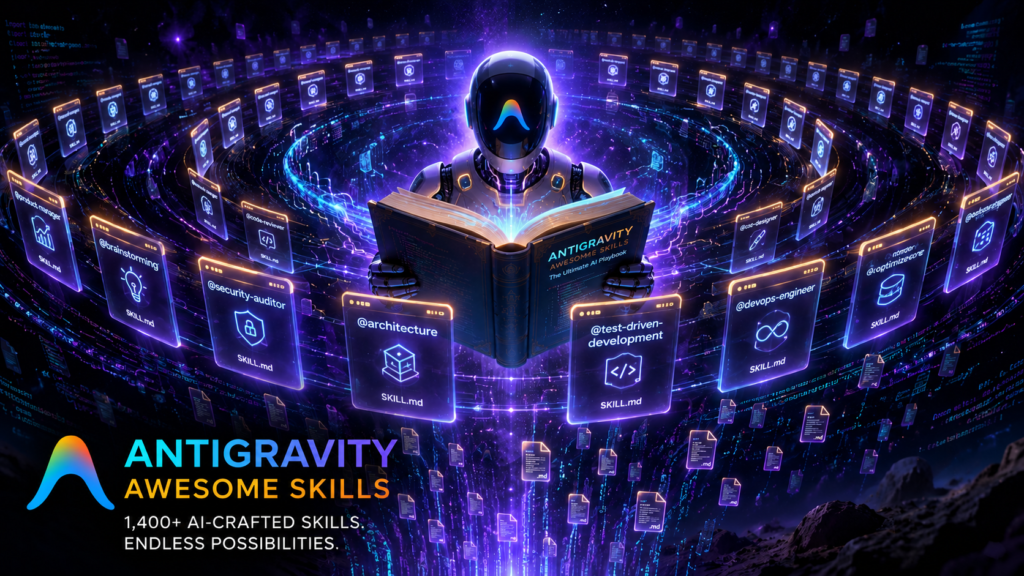
I’ll be honest with you. When I first heard about a GitHub repository called “Antigravity Awesome Skills,” I assumed it was another overhyped prompt collection that would end up forgotten in a bookmark folder. I was wrong. Within two days of using it, my AI coding workflow changed in ways that actually stuck.
At the time of writing, this open-source project has crossed 39,000 GitHub stars and 4,000 forks. Those numbers don’t happen by accident. Something real is going on here — and if you’re using Claude Code, Cursor, Gemini CLI, or any AI coding assistant without it, you’re probably leaving a lot of productivity on the table.
Let’s get into it.
Table of Contents
- What Is Antigravity Awesome Skills?
- How the SKILL.md Format Actually Works
- Installation: One Command, Every Tool
- Skill Categories That Cover the Full Dev Lifecycle
- Bundles vs Workflows: Know the Difference
- Official Sources Baked Right In
- How It Compares to Alternatives
- Deep Analysis: Why This Took Off
- Three Real-World Use Cases
- Frequently Asked Questions
- Conclusion
What Is Antigravity Awesome Skills?
Antigravity Awesome Skills (GitHub: sickn33/antigravity-awesome-skills) is an installable library of reusable SKILL.md playbooks for AI coding assistants. Think of it as a structured instruction set — not random prompts, but actual operating protocols — that your AI agent loads before executing a specific task.
The core idea is simple. AI agents like Claude Code, Cursor, or Gemini CLI are already smart. But they don’t know your deployment workflow, your preferred test structure, or the AWS CloudFormation syntax your team settled on last quarter. Skills fill that gap. They’re small markdown files that give agents the specific context they need to perform recurring tasks correctly, every time.
What started as a community curation project has grown into something much bigger. Version 11.9.0 ships with 1,484+ skills organized across 9 major categories, with official contributions from Anthropic, Vercel Labs, OpenAI, Supabase, Microsoft, and Google DeepMind baked directly into the library.
“Instead of collecting one-off prompt snippets, this repository gives you a searchable, installable catalog of skills, bundles, workflows, plugin-safe distributions, and practical docs that help agents perform recurring tasks with better context, stronger constraints, and clearer outputs.”
— from the official README
How the SKILL.md Format Actually Works
The SKILL.md format is the backbone of everything here. It’s a structured markdown file that an AI tool reads at invocation time — before it starts executing your request. The skill tells the agent what the task is, how to approach it, what constraints apply, and what a good output looks like.
Here’s what makes this interesting. Most AI coding tools have their own conventions for loading context. Claude Code uses one path structure; Cursor uses another. Gemini CLI has its own format. Antigravity Awesome Skills uses a universal SKILL.md format that’s compatible across all of them. You write (or install) the skill once. It works everywhere.
When you invoke a skill like @brainstorming in a prompt, the agent loads the corresponding SKILL.md file, reads the structured instructions, and applies them to whatever you’re asking. The result is an agent that follows a proven methodology rather than improvising from scratch.
This is genuinely different from prompt engineering. A good SKILL.md file includes:
- A clear statement of the task and scope
- Step-by-step operating instructions
- Output format specifications
- Guardrails and fallback logic
- Invocation examples
Think of it as handing your agent a senior engineer’s runbook rather than asking it to figure things out on the fly.
Installation: One Command, Every Tool
This is where Antigravity Awesome Skills earns its name. Installation is genuinely effortless. You don’t need to clone repositories, manually map directories, or hunt for config files. One command drops the entire library exactly where your agent expects it:
npx antigravity-awesome-skills Want to install for a specific tool? There are flags for that:
- Claude Code:
npx antigravity-awesome-skills --claude - Cursor:
npx antigravity-awesome-skills --cursor - Gemini CLI:
npx antigravity-awesome-skills --gemini - Codex CLI:
npx antigravity-awesome-skills --codex - Kiro:
npx antigravity-awesome-skills --kiro - Custom path:
npx antigravity-awesome-skills --path ./my-skills
After installation, using a skill is just a natural conversation with your agent:
"Use @brainstorming to plan a SaaS MVP."
"Run @security-auditor on this API endpoint."
"Use @test-driven-development for this feature."
The installer uses a shallow clone by default — so you get the full current library without paying the cost of the entire git history on first install. A smart detail that matters at scale.
Skill Categories That Cover the Full Dev Lifecycle
The repository isn’t just a big pile of markdown files. It’s organized into focused domains, each with skills tuned for specific parts of the software development lifecycle.
Skill Categories Overview
| Category | What It Covers | Example Skills |
|---|---|---|
| Architecture | System design, ADRs, C4 diagrams, scalable patterns | architecture, c4-context, senior-architect |
| Business | Growth, pricing, CRO, SEO, go-to-market | copywriting, pricing-strategy, seo-audit |
| Data & AI | LLM apps, RAG pipelines, agents, observability | rag-engineer, prompt-engineer, langgraph |
| Development | Language mastery, framework patterns, code quality | typescript-expert, python-patterns, react-patterns |
| General | Planning, documentation, product ops, writing | brainstorming, doc-coauthoring, writing-plans |
| Infrastructure | DevOps, cloud, serverless, deployment, CI/CD | docker-expert, aws-serverless, vercel-deployment |
| Security | AppSec, pentesting, vulnerability analysis, compliance | api-security-best-practices, sql-injection-testing |
| Testing | TDD, test design, QA workflows, test fixing | test-driven-development, testing-patterns |
| Workflow | Automation, orchestration, agent coordination | workflow-automation, inngest, trigger-dev |
What I find genuinely useful about this structure is that you don’t need to know which skill to use before you start. The bundles system — which we’ll get to next — does the selection work for you based on your role and goal.
Bundles vs Workflows: Know the Difference
This is the part where people often get confused, so let’s be precise about it.
Bundles are curated lists of skills organized by role. Web Wizard bundles together the skills a full-stack web developer uses most. Security Engineer bundles the security-focused skills. Startup Founder bundles the planning and growth skills. You install the whole library once, then use bundles to decide which skills to actually invoke. Bundles are for discovery and decision-making, not installation.
Workflows are step-by-step execution playbooks. Where bundles answer “which skills should I be using?”, workflows answer “in what order do I run them for this specific goal?” They’re outcome-driven sequences for things like:
- Ship a SaaS MVP (planning → architecture → coding → testing → deployment)
- Security Audit for a Web App
- Build an AI Agent System
- QA and Browser Automation
- Design a DDD Core Domain
The practical difference: use bundles when you’re exploring what to try. Use workflows when you know what you’re building and want the agent to execute it in the right order.
Official Sources Baked Right In
One thing that genuinely separates this library from random GitHub prompt collections is the presence of official skills from major organizations. These aren’t community approximations or reverse-engineered guesses. They’re the actual playbooks from the teams who built the tools:
- Anthropic: DOCX, PDF, PPTX, XLSX document manipulation skills; brand guidelines; internal communications
- Vercel Labs: React best practices, web design guidelines
- OpenAI: Agent skills, Skill Creator, concise planning
- Supabase: Postgres best practices
- Microsoft: Azure cloud services, Bot Framework, .NET, Python, TypeScript, Go, Rust, Java patterns
- Google DeepMind: Gemini API, SDK and model interactions
- Apify: Web scraping, data extraction, automation
Beyond official sources, the community contribution base is substantial — 104+ contributors have added skills covering everything from Shopify development patterns to Yandex Direct advertising audits to personal genome analysis. The contributor list spans dozens of countries and use cases most of us wouldn’t have thought to cover.
How It Compares to Alternatives
Comparison: Antigravity Awesome Skills vs Alternatives
| Feature | Antigravity Awesome Skills | VoltAgent Awesome Agent Skills | ComposioHQ Awesome Claude Skills |
|---|---|---|---|
| Skill Count | 1,484+ (growing) | 1,000+ (curated) | 1,000+ (action-focused) |
| Philosophy | Broad installable library | Curated, editorial shortlist | Action-capable (send email, Slack, etc.) |
| npm Installer | Yes | Partial | No |
| Official Skills Included | Yes (Anthropic, Vercel, OpenAI, etc.) | Yes (official team focus) | Yes (Anthropic via Composio) |
| Multi-Tool Support | 10+ tools | 8+ tools | Claude-focused, some others |
| Bundles & Workflows | Yes (role-based + outcome-driven) | Limited | No |
| Onboarding Quality | Strong (getting-started, FAQ, visual guide) | Moderate | Moderate |
| GitHub Stars | 39k+ | Smaller | Smaller |
| License | MIT | MIT | MIT |
| Best For | Developers who want breadth, installability, and multi-tool support | Developers who want a tight, curated shortlist | Developers who want Claude to take real-world actions via integrations |
The honest take: Antigravity Awesome Skills is bigger but noisier. VoltAgent is easier to scan quickly. If you’re not sure which to start with, browse VoltAgent first to understand what you need, then install Antigravity for the full library.
Deep Analysis: Why This Took Off
Something about this project’s growth is worth thinking through, because it tells you something about where AI-assisted development is heading.
The Real Problem It Solves
AI coding assistants have a context problem. They’re trained on vast codebases, but they don’t know your company’s conventions, your team’s preferred libraries, your deployment pipeline’s quirks, or the edge cases your codebase has hit before. Every session starts fresh. Every time you ask Claude or Gemini to write a test, you’re hoping the model makes the same choices your team made last time.
SKILL.md files solve this without being complicated about it. They’re just markdown. Any agent that can read a file can load a skill. No plugins, no APIs, no special integrations required.
The Second-Order Effect No One Is Talking About
Here’s what’s interesting to me about the long-term implications. When 39,000 developers install the same skill library, they start invoking the same methodologies. @brainstorming runs the same structured framework whether you’re in London or São Paulo. @security-auditor applies the same OWASP-informed checks regardless of which team is using it.
This is the beginning of something. If SKILL.md becomes the standard format for agent instructions — and the adoption numbers suggest it’s heading that way — then the AI coding layer becomes modular and composable in a way it currently isn’t. You’ll build skills the same way you build packages. Communities will maintain them. Companies will ship their own.
The Risk That’s Worth Naming
A library this large with this many community contributors has a quality variance problem. Not every skill in a 1,484-file repository has been thoroughly reviewed. A poorly written skill can produce worse results than no skill at all. The maintainers have audit tooling and a progressive risk-labeling system, but it’s still a growing problem as contribution velocity increases.
The project’s own security documentation acknowledges this: community PRs may carry risk: unknown labels until maintainers audit them. For production environments, it’s worth reviewing any skill before you invoke it with sensitive codebases.
Three Real-World Use Cases
1. Shipping a SaaS MVP Faster
A solo founder building a SaaS product can use the Essentials bundle plus Full-Stack Developer skills to guide their agent through the entire build. Start with @brainstorming to structure the MVP plan. Move to @architecture for system design decisions. Use @test-driven-development to keep quality high while moving fast. Run @create-pr to package completed features cleanly. The agent follows the methodology without improvising.
2. Security Audits That Actually Check the Right Things
Security review is the kind of task where “good enough” isn’t good enough. The @security-auditor and @sql-injection-testing skills incorporate OWASP standards and AppSec best practices. Running these against an API endpoint gives you structured, systematic coverage rather than whatever the model decides to check on any given day.
3. Documentation That Doesn’t Age Badly
The @doc-coauthoring skill (officially contributed by Anthropic) structures documentation writing around a collaborative methodology. For teams that struggle to maintain docs because they’re always written differently, having a shared skill means shared conventions — and docs that are actually consistent across contributors.
Frequently Asked Questions
Do I need to install every skill to use the library?
No. You install the full repository once, but you don’t use every skill. The bundle system helps you identify the 5–10 skills relevant to your role. Most developers actively use 10–20 skills even though the library contains 1,400+.
Does this work with GitHub Copilot?
Partially. Copilot doesn’t have a native SKILL.md injection mechanism, so there’s no automatic installer path. The project’s documentation recommends pasting skill content manually when using Copilot — not ideal, but workable for specific tasks.
How do SKILL.md files affect context window usage?
Each skill adds tokens to your context window when invoked. For most tasks, this is a worthwhile trade — the structured instruction produces better output than the tokens cost. For very long sessions or cost-sensitive pipelines, keep your active skills narrow. The installer supports –risk, –category, and –tags flags to install only what you need.
Can I write my own skills and add them to the library?
Yes. The CONTRIBUTING.md file explains the process. You add your skill under skills/your-skill-name/SKILL.md, follow the skill template, run the validator (npm run validate), and open a pull request. The maintainers review it before merging.
Is this safe to use in enterprise environments?
The library includes a SECURITY.md and the maintainers use progressive risk labeling for community contributions. Official skills from Anthropic, Vercel, and others carry lower risk. For enterprise use, auditing community skills before deployment is a reasonable precaution.
What’s the difference between Antigravity (the IDE) and this repository?
Antigravity IDE is Google’s agentic development platform, powered by Gemini. This repository (Antigravity Awesome Skills) is a community-built skill library named partly for its compatibility with that IDE, but it works across 10+ AI tools and has no direct affiliation with Google’s product.
How fast is the library growing?
As of May 2026, the library is at v11.9.0, up from ~868 skills in v5.4.0 just a few months ago. The project has had 948 commits and has been growing at a pace of several releases per month, each adding new skills and improving existing ones.
Conclusion
If there’s one thing this project demonstrates, it’s that the gap between AI agents and genuinely useful AI agents isn’t model size — it’s structure. Giving an agent a well-written SKILL.md file is the difference between asking someone to “write tests” and handing them a QA runbook that explains your testing philosophy, preferred assertions, coverage targets, and edge cases to watch for.
Antigravity Awesome Skills has become the largest open repository of these structured playbooks, with official contributions from the companies building the foundational tools. It’s MIT-licensed, actively maintained, and installs in one command. At 39,000 stars, it has clearly struck a nerve with the developer community.
If you’re doing any serious work with Claude Code, Cursor, Gemini CLI, or any major AI coding assistant, the skill library is worth having. Start with one bundle — Essentials if you’re unsure — and add skills as your workflow evolves. The time you spend installing it once pays for itself the first time your agent follows a methodology you’d normally have to explain from scratch.
Give the repository a star if it helps. And if you build something useful that’s missing from the library, the maintainers are clearly open to good-faith contributions.