
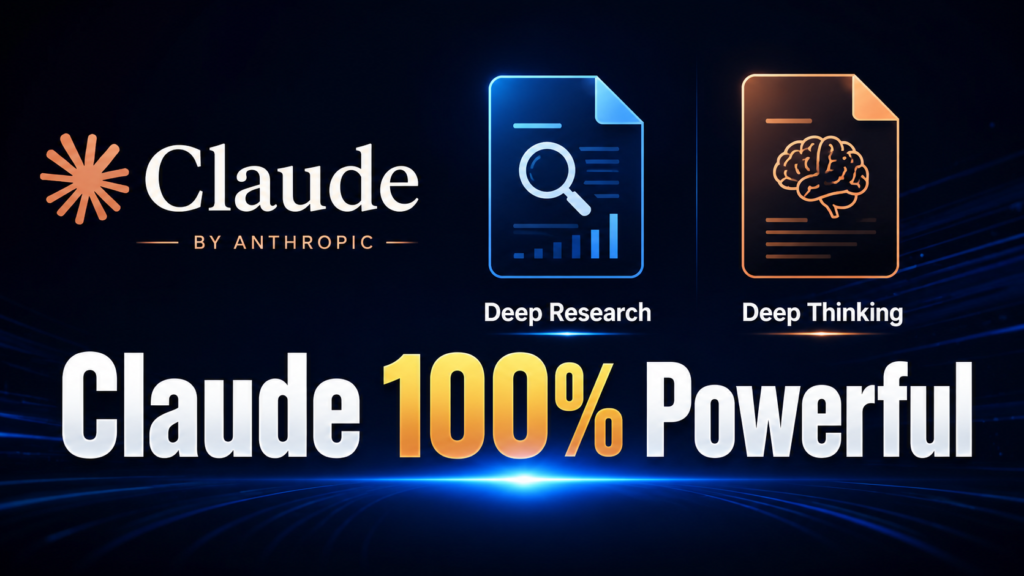
Add Deep Research & Deep Thinking Skills in Claude AI (Smart Trick 2026)

Let me ask you something. How many times have you typed a question into Claude AI — something you actually needed a solid answer for — and got back a response that felt thin? A decent summary, sure. But nothing that really dug in, challenged assumptions, or came at the problem from more than one angle?
I know that frustration well. I spent months running into it while working on content for TechGVS. And then I figured out why it was happening — and more importantly, how to fix it.
The problem isn’t Claude’s intelligence. The problem is that Claude, by default, has no structured method. It doesn’t know whether you want a quick answer or a 12-angle investigation. It doesn’t know to challenge its own assumptions, apply reasoning frameworks, or cite sources unless you tell it to — every single session, every single time.
That’s exactly what Claude AI custom skills solve. And the two skills I built — Deep Research and Deep Thinking — are the most useful ones I know of for anyone doing serious work with Claude.
In this post, I’ll explain what these two Claude AI custom skills actually do, show you the exact steps to download and add them (takes about two minutes), and share what changed in my own workflow after I started using them. I also made a full tutorial video on YouTube (TechGVS — link below) if you’d rather watch the process live.
Table of Contents
- What Are Claude AI Custom Skills?
- The Two Skills That Change Everything
- Exact Steps: How to Download & Add These Skills
- What the Output Actually Looks Like
- My Experience (TechGVS)
- Regular Claude vs. Claude With Skills — Comparison Table
- Who Should Add These Claude AI Custom Skills?
- Pro Tips: Getting More From Your Skills
- Frequently Asked Questions
- Conclusion
What Are Claude AI Custom Skills?
Anthropic launched the Skills feature in October 2025, and it’s probably the most underreported development in the Claude ecosystem since the model itself. A skill is a packaged set of instructions — stored in a small ZIP file — that teaches Claude a specific methodology for handling a type of task.
Here’s the simplest way to think about it. Imagine a brilliant assistant who is competent at everything but relies entirely on your instructions in the moment. Now imagine you hand them a detailed manual: “Every time someone asks you to research a topic, follow this exact 5-phase process. Break the question into sub-questions. Search from at least 5 different angles. Evaluate every source. Synthesise findings with citations.” That assistant just became dramatically more useful — not because they got smarter, but because they got a method.
That’s what Claude AI custom skills do. You upload a skill once. Claude reads it, understands when to use it based on your trigger phrases, and applies the full methodology automatically every time. You don’t write a long prompt every session. The skill handles it.
According to Anthropic’s documentation, Claude AI custom skills are available on Pro, Max, Team, and Enterprise plans, and require Code Execution to be enabled. Once uploaded, they live in the “Claude Customize tab” under Settings → Customize → Skills, and you can toggle them on or off as needed.
The Two Skills That Change Everything
Deep Research Skill — What It Does
When most people ask Claude to “research something,” they get whatever Claude already knows from its training data. That’s fine for simple facts. It’s genuinely not good enough for anything that requires current, multi-perspective, properly sourced information.
The Deep Research skill changes this completely. When you use a trigger phrase like “deep research on [topic]” or “thoroughly research [topic],” Claude runs a structured 5-phase research methodology:
- Phase 1 — Query Decomposition: Claude breaks your question into 5–8 specific sub-questions and plans its search angles before running a single search.
- Phase 2 — Multi-Angle Web Search: Claude runs 5 to 12 web searches covering direct answers, expert analysis, counterpoints and criticism, statistics and data, comparisons, future trends, and real case studies.
- Phase 3 — Source Evaluation: Every source gets rated for authority, recency, potential bias, and whether other sources confirm it. Weak sources are silently discarded.
- Phase 4 — Synthesis: Findings are structured into a report with key findings (cited), multiple perspectives — mainstream, expert/academic, critical/opposing, and industry practitioner — plus data evidence, identified limitations, and a full source list.
- Phase 5 — Quality Check: Before responding, Claude checks whether it searched at least 5 angles, represented opposing views fairly, cited specific sources, and acknowledged what it doesn’t know.
This is what real “structured research prompting” looks like. Not a longer answer — a more rigorous one. For students, bloggers, and anyone doing research that actually matters, this is a significant upgrade.
Deep Thinking Skill — What It Does
Research gives you facts. Thinking gives you judgement. The Deep Thinking skill handles the second part.
When you say “deep thinking about [topic]” or “think deeply about [topic],” Claude runs a full structured reasoning process across five steps:
- Step 1 — Problem Clarification: Claude restates your question, identifies the real underlying question, spots hidden assumptions, and asks internally: what would a perfect answer look like?
- Step 2 — First Principles Breakdown: What do we know for certain? What are we assuming that might be wrong? What’s the simplest version of this problem?
- Step 3 — Multi-Framework Analysis: Claude applies at least three reasoning frameworks — Six Thinking Hats (White/Black/Yellow/Green/Red/Blue hats), Inversion Thinking (“how would I guarantee failure?”), Steel Manning (state the strongest version of the opposing argument before analyzing it), Second & Third Order Effects, Pre-Mortem Analysis, and Analogical Thinking.
- Step 4 — Synthesis: Where do multiple frameworks agree? (high confidence) Where do they disagree? (uncertain territory) What’s the most nuanced, defensible position? What would change this conclusion?
- Step 5 — Action Implications: If this is a decision — what should actually be done?
This is genuine “AI deep thinking methodology” — not a longer answer, but an honest one. I use this for product strategy, tool comparisons, content decisions, and any problem where I want to think things through rather than get a confident-sounding guess. The Pre-Mortem and Inversion frameworks alone catch things I miss every single time.
Using Both Together: Maximum Power Mode
Both skills can work simultaneously. Just use the trigger:
“/deep-research /deep-thinking on [topic]”
Claude runs the full Deep Research methodology first — collects all evidence, searches every angle, evaluates sources. Then it runs the full Deep Thinking methodology on those findings — applying all reasoning frameworks to what it actually discovered rather than what it already assumed. This is “multi-framework AI analysis” built on real evidence, and it’s the closest thing I know of to having a serious research-and-reasoning partner inside an AI tool.
Exact Steps: How to Download & Add These Skills to Claude AI
This is the “smart trick” part of the video — and it’s genuinely simple once you know where to look.
- Download the skill ZIP files — The download link is below in this post. You’ll get two ZIP files: one for Deep Research, one for Deep Thinking.
- Open Claude.ai on the web (this feature runs on the web version).
- Click your profile icon → Settings.
- Go to Customize → Skills — this is the “Claude Customize tab” where all your Claude AI custom skills live.
- Click the “+” button → “+ Create skill.”
- Select “Upload a ZIP file” and upload the Deep Research ZIP. Claude will read the “SKILL.md file” inside and display the skill name and description automatically.
- Repeat for the Deep Thinking ZIP. Same process, second file.
- Toggle both skills ON in your skills list.
- Open a new chat and try it: type “deep research on [any topic you care about]” and watch the difference.
📥 Free Download: Get both the Deep Research and Deep Thinking skill Github Repo Link — Click here
What the Output Actually Looks Like
Here’s a concrete example. Say you ask: “Deep research on the best AI tools for Indian students in 2026.”
Without the skill: You get a reasonable list. Maybe 400 words. Accurate, but surface-level. No sources cited. No distinction between free and paid tools, or between tools for different use cases.
With the Deep Research skill active: Claude breaks the question into sub-questions (free vs paid, writing vs coding vs math, connectivity constraints for rural students, etc.), searches from multiple angles, evaluates sources, shows you the mainstream view AND the expert/academic view AND practical criticisms, and gives you a structured report with citations. You might get 900–1,200 words of actually organized, actionable material.
The quality difference isn’t about length. It’s about method. A good “Claude productivity skill” changes the approach, not just the output size.
My Experience (TechGVS)
I’ll be direct about how this actually happened.
I was building content for TechGVS — blog posts, YouTube scripts, product research for Shaktix AI — and Claude kept giving me results that felt like a first draft at best. I’d ask it to research a topic and get information I could have found on page one of Google. I’d ask it to analyze a decision and get a pros-and-cons list that didn’t actually help me decide anything.
I built these two skills because I wanted Claude to work the way I work when I’m being serious: decompose the question, search from different angles, challenge my assumptions before committing to a direction. I wrote them as instruction files, tested them over several weeks, and refined them until the output was consistently useful rather than just consistently long.
After adding them to my Claude account, something actually changed. Research for blog posts got deeper — I started catching perspectives I’d missed. The deep thinking skill’s inversion framework has stopped me from making at least two decisions that looked good on the surface but would have caused problems. The pre-mortem framework is now something I run on almost every new feature decision for my projects.
I made the YouTube video on this because: (a) the skills are free, (b) setup takes two minutes, and (c) I genuinely think more people should know this feature exists. Most Claude users I talk to have never heard of the Skills tab.
Regular Claude vs. Claude With Skills — Comparison Table
| Feature | Regular Claude | Deep Research Skill | Deep Thinking Skill | Both Skills Combined |
|---|---|---|---|---|
| Research Depth | Single-pass answer from training | 5–12 searches, multi-angle | First principles + framework analysis | Research + full reasoning on findings |
| Source Citations | Rarely cited | Cited & verified per source | N/A (reasoning, not searching) | Cited research + reasoned conclusion |
| Methodology Used | None structured | 5-phase research protocol | 6 reasoning frameworks | Both protocols combined |
| Output Quality | Good for quick answers | Professional-grade reports | Deep, nuanced, defensible | Maximum quality possible |
| Best For | Casual questions | Content, reports, learning | Decisions, strategy, analysis | Complex or high-stakes work |
| Trigger Phrase | Any prompt | “deep research on [topic]” | “deep thinking about [topic]” | “/deep-research /deep-thinking on [topic]” |
| Setup Time | None needed | ~1 min (one ZIP upload) | ~1 min (one ZIP upload) | ~2 min (two ZIP uploads) |
Who Should Add These Claude AI Custom Skills?
Honestly, anyone who uses Claude for more than casual questions. More specifically:
- Students and researchers — The Deep Research skill turns Claude into a legitimate research assistant. Literature reviews, topic exploration, multi-perspective understanding — it handles all of these better than a default prompt.
- Content creators and bloggers — Instead of thin research, you get structured findings you can actually build content from. Every major TechGVS post I write now uses the research skill in the planning phase.
- Developers and startup founders — The Deep Thinking skill is valuable for architecture decisions, feature prioritization, and business strategy. The Steel Manning framework forces you to genuinely consider why you might be wrong before committing.
- Freelancers and professionals — Client proposals, competitive analysis, market research, industry overviews — the Deep Research skill handles all of these with more rigor than standard prompting.
- Anyone frustrated by shallow AI answers — If you’ve ever thought “Claude should know better than this,” these Claude AI custom skills are the fix. They don’t change the model. They give it a method.
Pro Tips: Getting More From Your Skills
- Be specific with your context. “Deep research on AI tools” is okay. “Deep research on free AI writing tools for Indian college students with limited data plans” is much better. Narrower context = more targeted output.
- Start a new chat when using skills. Skills load fresh in a new conversation. Using them mid-chat sometimes dilutes the methodology’s focus.
- Read the Pre-Mortem and Inversion sections carefully. When Deep Thinking applies these frameworks, don’t skim. That’s exactly where the useful blind spots show up.
- Toggle skills off for casual use. You don’t need a 5-phase research protocol for “what are some good lunch ideas.” Toggle them off in Customize → Skills when you want lightweight responses.
- Run Deep Research first, then Deep Thinking separately if needed. You can also do the combined workflow manually: research first, then say “now apply deep thinking to what you found.” The skill handles both if you use the combined trigger, but splitting them gives you more control.
Frequently Asked Questions
1. Do I need a paid Claude plan to use these skills?
Yes. Claude AI custom skills require a Pro, Max, Team, or Enterprise plan on Claude.ai. Free accounts can’t upload or use custom skills currently. You also need Code Execution enabled in your settings — check Settings → Feature Preferences if you’re not sure.
2. Are these skill files safe? Will they share my data?
The files are simple ZIP packages containing a “SKILL.md file” — plain text instructions written in Markdown. No personal data, no external calls, no data collection. Your uploaded Claude AI custom skills are private to your individual account unless you’re on Team/Enterprise and explicitly share them.
3. Can I use both skills at the same time on the same question?
Yes, and that’s the recommended approach for complex topics. Use the trigger “/deep-research /deep-thinking on [topic]” and Claude runs the research methodology first, then applies all thinking frameworks to those findings. This is the highest-quality output the setup can produce.
4. How is this different from just writing a long prompt every time?
A Claude productivity skill is permanent, automatic, and consistent. A prompt has to be rewritten every session and tends to drift in quality. Once a skill is uploaded, it works reliably every time you use the right trigger — no extra writing, no reminding Claude of the methodology, no inconsistency between sessions.
5. Does this work on Claude’s mobile app too?
As of mid-2026, Claude AI custom skills management (uploading, configuring) is primarily available on the web version at Claude.ai. The skills may still activate in mobile conversations if they’re set up on the web first. Check current Anthropic documentation at support.claude.com for the latest on mobile support.
6. What exactly is inside the SKILL.md file?
A “SKILL.md file” is a plain Markdown file containing a YAML header with the skill’s name and description, followed by full methodology instructions. Claude reads the description to decide when to invoke the skill, then follows the instructions as its working method for that task type. It’s essentially a permanent methodology brief that Claude carries into every relevant conversation.
7. Can I build my own custom skills after this?
Yes. Once you understand the structure, creating your own Claude AI custom skills is straightforward: create a folder containing a SKILL.md file, write your instructions in Markdown, zip the folder, and upload it to Settings → Customize → Skills. Anthropic’s documentation covers this in detail. As of March 2026, the community skills repository on GitHub had over 87,000 stars — there are many free skills to explore beyond just these two.
Conclusion
Claude AI is already a capable tool. You know that. But capability without method is just raw potential, and most people are leaving most of that potential unused because they never gave Claude a structured way to work.
These two Claude AI custom skills — Deep Research and Deep Thinking — fix that. They don’t require a different plan, a different model, or any technical setup beyond uploading two ZIP files. They just give Claude a method. And method, as it turns out, is most of what separates a useful AI response from a forgettable one.
If you’re a student, add the Deep Research skill before your next assignment. If you’re a developer or founder, add the Deep Thinking skill before your next big product decision. If you’re a content creator, use both — and see what your research process looks like when it’s actually systematic rather than reactive.
And if you want to see the whole thing live, the YouTube tutorial on TechGVS walks through every step with a real demo. Subscribe so you don’t miss the next Claude smart tricks video.
📥 Go Github And Download both skill files (free): CLICK HERE
🎥 Watch the full video tutorial: YouTube Link
Two minutes. Two files. Your Claude workflow will not be the same after this.