


RAM vs ROM What’s the Real Difference?

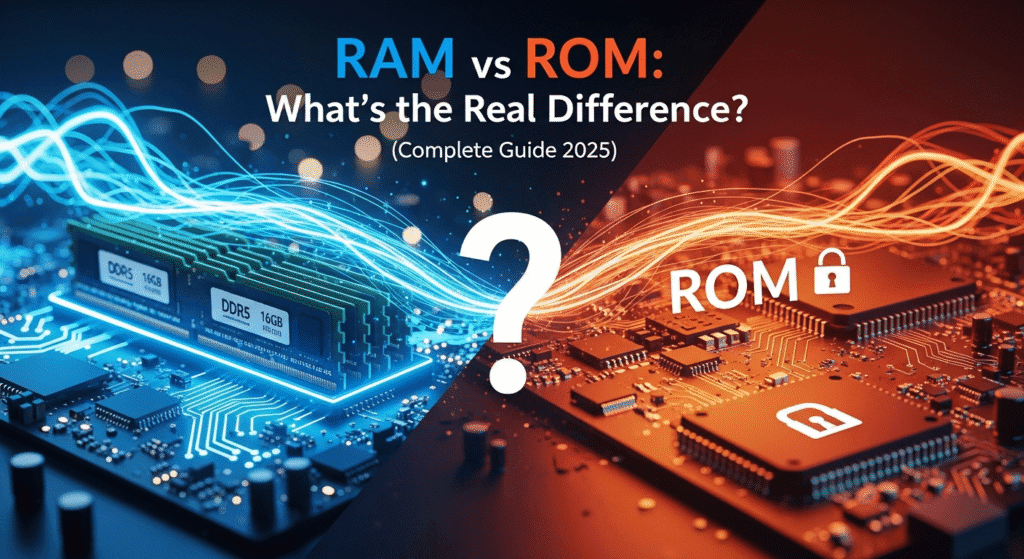
I still remember the day I walked into a phone store, confident I knew what I wanted. The salesperson started throwing specs at me: “This one has 8GB RAM and 128GB ROM.” I nodded like I understood, but honestly? I had no clue what that really meant for my actual experience.
Sound familiar? You’re definitely not alone. The difference between RAM and ROM confuses millions of people every single day. Whether you’re buying a new smartphone, upgrading your laptop, or just trying to understand why your device is slowing down, understanding these two types of computer memory is absolutely crucial.
Here’s the thing that nobody tells you: RAM and ROM aren’t just technical jargon — they’re the fundamental building blocks that determine whether your device flies or crawls. They work together in a beautiful dance, each playing a completely different role in keeping your digital life running smoothly.
In this comprehensive guide, I’m going to break down everything you need to know about RAM vs ROM. No confusing technical mumbo-jumbo, no boring textbook definitions. Just real, practical knowledge that’ll help you make smarter decisions about your technology. Let’s dive in!
What Is RAM? Your Computer’s Working Memory
Think of RAM (Random Access Memory) as your brain’s short-term memory. You know how you can remember a phone number just long enough to dial it, but then it vanishes? That’s exactly how RAM works in your computer or smartphone.
RAM is volatile memory that temporarily stores data your device is actively using right now. When you’re browsing the web, editing photos, or playing games, all that information lives in your RAM. It’s lightning-fast because your processor needs instant access to this data.
How RAM Actually Works
Here’s what happens behind the scenes: When you open an app, your device copies the necessary files from permanent storage (like your hard drive) into RAM memory. Why? Because accessing data from RAM takes nanoseconds, while fetching from a hard drive takes milliseconds. That might sound like splitting hairs, but in computer terms, it’s the difference between instant and glacially slow.
The catch? RAM loses everything when you power down. Shut off your device, and poof — all that data disappears. It’s why you lose unsaved work during a sudden power outage. This volatile memory characteristic is actually by design, allowing RAM to be incredibly fast and efficient.
“RAM is like your desk workspace. The bigger your desk, the more projects you can spread out and work on simultaneously. A small desk? You’re constantly shuffling papers around, which slows everything down.”
Why RAM Matters for Performance
More RAM capacity means better multitasking. With 4GB of RAM, you might struggle to run multiple browser tabs while editing a document. Jump to 16GB? You can edit videos while streaming music and chatting with friends without missing a beat.
- Multitasking: More RAM lets you run multiple applications simultaneously without slowdowns
- Speed: Adequate RAM prevents constant loading from slower storage drives
- Gaming: Modern games often require 16GB or more for optimal performance
- Professional Work: Video editing, 3D rendering, and programming demand substantial RAM
What Is ROM? The Permanent Storage Guardian
Now let’s talk about ROM (Read-Only Memory). Despite its name being a bit misleading in modern devices, ROM represents your device’s permanent storage — the place where information lives forever, even when the power’s off.
In traditional computers, ROM stores critical firmware like the BIOS (Basic Input/Output System) that runs when you first turn on your machine. It’s the software that checks if your keyboard’s connected, if RAM is present, and kicks off the entire boot process.
The Modern ROM Confusion
Here’s where things get tricky, and this is what confused me for years: When smartphone manufacturers talk about “128GB ROM,” they’re not technically talking about traditional read-only memory. They’re actually referring to internal storage — your phone’s permanent storage space.
It’s technically called eMMC (embedded MultiMediaCard) or UFS (Universal Flash Storage), but the industry stuck with calling it “ROM” to differentiate it from RAM. Confusing? Absolutely. But that’s the terminology we’re stuck with.
What ROM Actually Does
Non-volatile memory like ROM serves several critical functions:
- Boot Instructions: Stores the essential code needed to start your device
- Firmware: Contains permanent software instructions for hardware components
- System Files: Keeps your operating system and core applications
- User Data: In smartphones, stores your photos, videos, apps, and documents
The beautiful thing about ROM memory? It keeps everything safe when the power’s off. That’s why your photos are still there when you turn your phone back on. This non-volatile characteristic makes ROM perfect for long-term storage.
RAM vs ROM: 10 Critical Differences Explained
Alright, let’s get into the nitty-gritty. Understanding the difference between RAM and ROM is crucial for making informed decisions about your technology. Here are the ten most important distinctions:
| Feature | RAM (Random Access Memory) | ROM (Read-Only Memory) |
|---|---|---|
| 1. Volatility | Volatile – loses data when power is off | Non-volatile – retains data without power |
| 2. Speed | Extremely fast (GB/second read speeds) | Slower (MB/second read speeds) |
| 3. Purpose | Temporary working memory for active tasks | Permanent storage for system files and data |
| 4. Data Access | Read and write operations, constantly changing | Primarily read operations, rarely modified |
| 5. Capacity | 4GB to 32GB in typical consumer devices | 64GB to 1TB+ in modern smartphones |
| 6. Cost | More expensive per GB | Cheaper per GB |
| 7. Physical Form | Rectangular chip modules (DIMM, SO-DIMM) | Integrated storage chips (eMMC, UFS) |
| 8. User Control | Managed automatically by system | User can add/delete files manually |
| 9. Upgradeability | Often upgradeable in desktops/laptops | Typically fixed in smartphones |
| 10. Examples | DDR4, DDR5, LPDDR5 | BIOS chip, eMMC, UFS storage |
Five Key Differences with Real Examples
Let me break down five differences between RAM and ROM with examples you’ll actually encounter:
Example 1: Opening Applications
When you tap Instagram on your phone, the app loads from ROM storage into RAM memory. As you scroll, new images load into RAM for instant viewing. Close the app, and that RAM space clears for other tasks. But Instagram itself stays safely stored in ROM.
Example 2: Photo Storage
You take a photo — it’s immediately saved to ROM (your internal storage). While you’re editing that photo, it temporarily loads into RAM for quick access. Save your edits, and the updated version goes back to ROM. Power off your phone, and the photo remains in ROM, but any unsaved edits in RAM are lost.
Example 3: Gaming Performance
A game’s installation files live in ROM. When you play, the game loads assets (textures, sounds, levels) into RAM for instant access. More RAM means smoother gameplay because the game doesn’t need to constantly reload assets from slower ROM.
Example 4: System Boot
Your device’s BIOS or firmware (stored in traditional ROM) runs first when you power on. It checks hardware, then loads your operating system from storage ROM into RAM, where it actually runs.
Example 5: Background Apps
Apps running in the background consume RAM. When RAM fills up, your system closes background apps to free space. Those apps still exist in ROM, but they’re not actively using RAM until you open them again.
Decoding 8GB RAM + 128GB ROM: What Does It Really Mean?
Let’s tackle the question that brings most people here: “What does 8GB RAM and 128GB ROM mean?” This specification appears on virtually every smartphone listing, but what does it actually tell you about the phone’s performance?
Breaking Down the Numbers
8GB RAM means your phone has 8 gigabytes of temporary working memory. Think of this as your phone’s ability to juggle tasks. With 8GB RAM, you can:
- Keep 15-20 apps open in the background without them closing
- Switch between apps instantly without reloading
- Play demanding mobile games smoothly
- Edit photos and videos without lag
- Run split-screen apps comfortably
128GB ROM represents your phone’s permanent storage capacity. This is where everything lives long-term:
- Your operating system (typically uses 15-25GB)
- All installed apps and games
- Photos, videos, and music
- Downloaded files and documents
- System updates and cached data
Real-World Storage Math
Here’s something they don’t tell you: You never actually get the full 128GB. Here’s the realistic breakdown:
- System and OS: 20-25GB
- Pre-installed apps: 5-8GB
- System cache: 3-5GB
- Actually available: 90-100GB
So when you see “128GB ROM,” you’re really getting around 95GB of usable space. Not a scam — just how modern operating systems work.
What About 256GB ROM?
“What is 256GB ROM mean?” Simply double the storage! You get approximately 220-230GB of actual usable space. This is perfect if you:
- Shoot lots of 4K videos
- Download movies and music for offline use
- Install many large games (some games now exceed 10GB!)
- Take thousands of high-resolution photos
- Keep your phone for 3+ years
My honest advice? 8GB RAM is the sweet spot for most users in 2025. Below that, you’ll feel the lag. Above that, you’re paying for performance you might not use. For ROM, 128GB works for average users, but 256GB provides comfortable breathing room.
Why Is RAM Faster Than ROM? The Technical Truth
This is the million-dollar question that stumps even tech-savvy folks: “Why is RAM faster than ROM?” The answer involves some fascinating engineering that directly impacts your daily experience.
The Speed Numbers
Let’s talk actual numbers. RAM read speeds typically hit 25-50 GB per second in modern devices. ROM read speeds? Around 500 MB to 2 GB per second for fast UFS storage. That means RAM is roughly 20-50 times faster than ROM.
Why such a massive difference? It comes down to three core reasons:
1. Random vs. Sequential Access
RAM uses true random access. Imagine a library where you can teleport directly to any book instantly. That’s RAM. It can access any piece of data in any order with equal speed.
ROM (particularly traditional storage) often requires sequential access. It’s like having to walk through library aisles to find your book. Even modern flash storage, while much faster than old hard drives, still can’t match RAM’s instant access.
2. Electrical Architecture
Here’s where it gets technical but super interesting. RAM stores data using transistor states — basically, electrical switches that flip on or off instantly. Reading these states happens at the speed of electricity itself.
ROM (flash storage) stores data by trapping electrons in specialized cells. Reading requires sensing tiny voltage differences, which takes more time. It’s the difference between flipping a light switch (RAM) and slowly dimming a light (ROM).
3. Design Purpose
RAM is engineered for maximum speed because it handles active processes. Speed is everything. It uses more power and loses data when powered off, but those tradeoffs enable incredible performance.
ROM is designed for maximum storage density and data retention. It prioritizes keeping your data safe forever over raw speed. This design philosophy means accepting slower access times.
“Think of RAM as a sprinter built for short, explosive bursts of speed. ROM is a marathon runner designed for endurance and reliability over the long haul. Different tools for different jobs.”
Why This Matters to You
Understanding why RAM is faster than ROM helps you grasp why:
- Your computer needs both types of memory to function
- More RAM improves overall responsiveness
- Faster ROM (like UFS 3.1) helps apps launch quicker
- Running out of RAM causes severe performance drops
- SSDs (a type of ROM) dramatically improve boot times
How RAM and ROM Impact Your Daily Computing
Let’s get practical. How do RAM and ROM actually affect your day-to-day experience? Here are real scenarios you face constantly:
Scenario 1: Multitasking Madness
You’re video calling on Zoom while taking notes in a document and checking email. RAM juggles all three apps simultaneously. Run out? Zoom crashes, your document auto-saves, and your phone desperately tries to free up space.
With adequate RAM capacity (8GB+), all three apps happily coexist. Drop to 4GB, and you’re playing musical chairs with apps constantly reloading.
Scenario 2: The Photo Disaster
You’ve taken hundreds of vacation photos. They’re safely stored in ROM, but now you want to create a slideshow. Each photo loads into RAM for editing. Insufficient RAM means painfully slow editing and potential crashes.
Full ROM storage? Your camera app refuses to take new photos. You’re forced to delete precious memories or offload to cloud storage.
Scenario 3: Gaming Performance
Modern mobile games like Genshin Impact demand both types of memory intensely. The game itself occupies 15-20GB of ROM. While playing, it constantly loads assets into RAM for smooth rendering.
Insufficient RAM causes stuttering, texture pop-in, and crashes. Insufficient ROM means you can’t install the game at all. Both matter equally for gaming.
Scenario 4: System Updates
Your phone prompts for a system update. It needs to download the update file to ROM (requiring free space), then load it into RAM to install. Tight on either? The update fails.
This is why devices sometimes require 3-5GB free in ROM for updates, even if the actual update is smaller.
Different Types of RAM and ROM You Should Know
Types of RAM
Not all RAM memory is created equal. Here are the main types:
DRAM (Dynamic RAM): The most common type. Uses capacitors that need constant refreshing to retain data. Found in most PCs and laptops. Cheaper but requires more power.
SRAM (Static RAM): Faster and more expensive. Doesn’t need refreshing. Used in CPU cache memory where speed is absolutely critical. Six transistors per bit make it bulkier.
DDR SDRAM (Double Data Rate): The standard for modern computers. Current generations include:
- DDR4: Common in devices from 2014-2023, speeds up to 3200 MHz
- DDR5: Latest standard (2021+), speeds exceeding 4800 MHz
- LPDDR5: Low-power version for smartphones and tablets
Types of ROM
ROM has evolved significantly. Here’s what you’ll encounter:
PROM (Programmable ROM): Can be programmed once after manufacturing. Old-school technology rarely seen today. Once you “burn” data onto it, it’s permanent.
EPROM (Erasable Programmable ROM): Can be erased using UV light and reprogrammed. Used in specialized applications. You might see these in vintage electronics.
EEPROM (Electrically Erasable Programmable ROM): Can be erased electrically. Used for BIOS chips in computers. Limited write cycles but very reliable.
Flash Memory: Modern ROM technology powering smartphones and SSDs:
- eMMC: Embedded MultiMediaCard, common in budget devices
- UFS 2.1/3.1: Universal Flash Storage, found in mid-range to flagship phones
- NVMe SSD: Fastest consumer ROM, used in high-end laptops and desktops
Each generation brings faster speeds and better reliability. UFS 3.1 can hit 2.9 GB/s read speeds — nearly as fast as older computer hard drives!
How to Choose the Right RAM and ROM for Your Needs
Let’s get super practical. Based on your actual usage, here’s how much RAM and ROM you really need:
RAM Requirements by User Type
Light Users (Web browsing, social media, email):
4GB RAM minimum, 6GB comfortable. You’ll manage fine with 4GB, but 6GB prevents annoying app reloads.
Average Users (Streaming, moderate multitasking, casual gaming):
8GB RAM is the sweet spot. This handles everything most people throw at their devices comfortably. It’s the Goldilocks zone.
Power Users (Heavy multitasking, gaming, content creation):
12GB-16GB RAM recommended. Video editing, 3D gaming, and running virtual machines demand serious memory.
Professional Users (Video production, software development, intensive simulations):
16GB-32GB+ RAM essential. Don’t skimp here. Your productivity directly depends on it.
ROM Requirements by User Type
Minimal Users:
64GB ROM works. You rely heavily on cloud storage and don’t install many apps. Budget-conscious choice.
Average Users:
128GB ROM recommended. Comfortable space for apps, photos, and some offline media. Won’t feel cramped.
Media Enthusiasts:
256GB ROM ideal. Plenty of room for extensive photo libraries, downloaded movies, and large games.
Content Creators:
512GB-1TB ROM necessary. 4K video files, RAW photos, and professional apps consume enormous space.
The Price-Performance Balance
Here’s my honest recommendation based on analyzing hundreds of devices: Go for 8GB RAM + 128GB ROM as your baseline in 2025. It’s the minimum for a smooth, frustration-free experience that’ll last 3-4 years.
Can you survive with less? Sure. Will you regret it within a year? Probably. The small upfront cost difference pays dividends in daily satisfaction.
Frequently Asked Questions About RAM and ROM
1. Can I upgrade RAM and ROM in my smartphone?
RAM: Generally no. Smartphone RAM is soldered directly to the motherboard. You’re stuck with what you bought.
ROM: Some phones support microSD cards for additional storage, but you cannot upgrade internal ROM. Always buy sufficient ROM upfront.
2. Why is ROM cheaper than RAM?
ROM is cheaper per gigabyte because it uses simpler, denser storage technology. Flash storage can pack more data in less physical space and requires less complex circuitry than high-speed RAM. The manufacturing process for ROM is also more mature and cost-effective.
3. What happens when I run out of RAM?
Your device starts using “virtual memory” — borrowing space from slower ROM storage to simulate RAM. Everything slows down dramatically. Apps close unexpectedly. Your device may even freeze temporarily. It’s like your computer having a panic attack.
4. What happens when ROM storage is full?
You can’t install new apps, take photos, download files, or receive some messages. Your device may become unstable. Many phones reserve 10-15% of storage for system operations, so you’ll hit limits before technically reaching 100%.
5. Is 4GB RAM enough in 2025?
For basic tasks, barely. Budget phones still ship with 4GB RAM, but expect frequent app reloads, limited multitasking, and slower performance. If you can afford it, jump to 6GB minimum or 8GB ideally.
6. How is ROM different from RAM in smartphones?
In smartphones, RAM handles active processes (apps you’re using now), while ROM stores everything permanently (apps, photos, system files). RAM is faster but temporary. ROM is slower but permanent. You need both working together.
7. Do I need more RAM or more ROM?
Depends on your bottleneck. Choose more RAM if: Apps reload constantly, multitasking is slow, games lag, or your device feels sluggish. Choose more ROM if: You constantly delete files, can’t install apps, or run out of photo storage. Most people benefit more from adequate RAM (8GB) than excessive ROM.
Final Thoughts: Making Sense of Memory
After diving deep into RAM vs ROM, I hope the fog has lifted. These two types of memory aren’t competing technologies — they’re partners in an intricate dance that powers everything you do on your devices.
RAM gives you speed and multitasking power. It’s the reason you can switch between apps instantly, play demanding games smoothly, and edit that presentation without wanting to throw your device out the window.
ROM provides permanence and capacity. It’s why your memories, apps, and important files survive every power cycle. It’s your digital safety net.
Understanding the difference between RAM and ROM isn’t just about winning tech trivia. It’s about making smarter purchasing decisions, troubleshooting performance issues, and getting the most value from your devices.
Key Takeaways
- RAM is volatile, fast, temporary — perfect for active tasks
- ROM is non-volatile, slower, permanent — ideal for storage
- 8GB RAM + 128GB ROM is the sweet spot for most users in 2025
- RAM speed matters more for performance than many realize
- You can never have too much of either — but there’s a point of diminishing returns
Next time you’re shopping for a device and see those specs, you’ll know exactly what you’re getting. You’ll understand why that “budget” phone with 4GB RAM might not be such a bargain after all. You’ll recognize when you need more ROM storage versus when you’re just hoarding data you’ll never use.
Ready to make your next tech purchase? Armed with this knowledge, you’re now prepared to choose wisely. Remember: investing in adequate RAM and ROM today saves frustration tomorrow.
Got questions about RAM and ROM that I didn’t cover? Drop them in the comments below. I read every single one and love helping people understand their technology better. Here’s to smarter tech decisions and devices that actually keep up with your life!